API Guide
Explore how to integrate with and extend Chat LLM's capabilities through our comprehensive API documentation and developer tools.
Core Features
Our API provides robust AI capabilities through a simple REST interface:
Key Capabilities
- Natural language processing and generation
- Context-aware conversation management
- Multi-modal input/output support
- Real-time streaming responses
- Customizable system prompts
- Comprehensive error handling
Getting Started
To begin using the API, you'll need an API key and basic understanding of REST principles:
Authentication
All API requests require authentication. You need to be logged in to your account to use the API.
To retrieve your API key, navigate to your Profile Page.
Usage Limits
Your API usage limits are tied to your current plan. For more details on available plans and their respective limits, please visit our Pricing Page.
Integration Guide
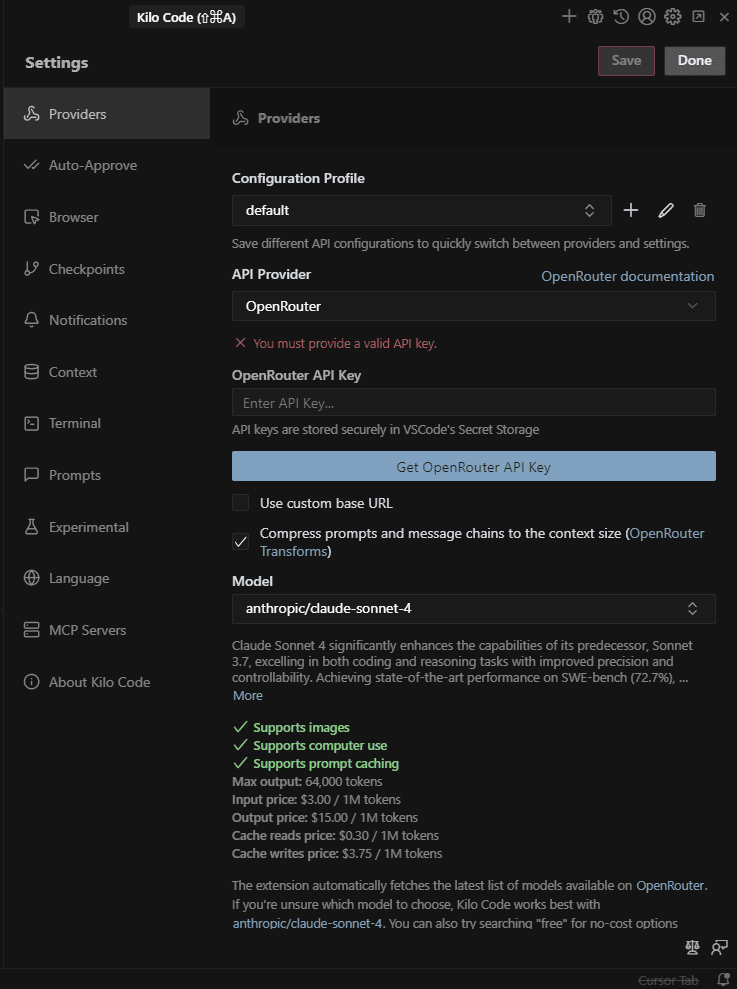
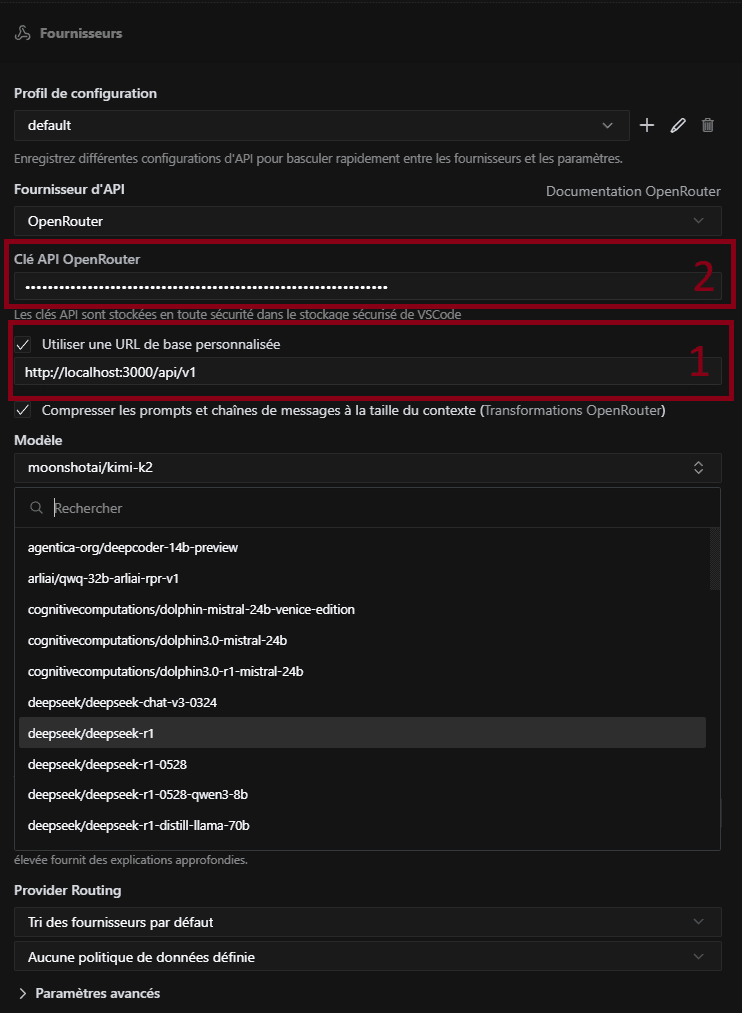
VS Code Extensions
Compatible with Kilo Code, Roo Code, Cline, and similar extensions.
Setup:
- Base URL:
https://chats-llm.com/api/v1 - API Key: Your personal key from the profile page
OpenAI-Compatible Applications
Works with any application supporting the OpenAI API standard.
API Documentation
An Openrouter-compatible LLM API to easily integrate AI into your applications.
Quick Start
All Chats-llm subscribers get 10 free requests per month.
| Plan | Free | Developer | Startup |
|---|---|---|---|
| Monthly Credits | $0 | $5 | $10 |
Using Chats-llm API directly
Generate a chat completion response based on your prompt.
Loading...Response Format
Successful Response
Loading...Streaming Response
When stream: true is set, responses are returned as Server-Sent Events:
Loading...Accessible Models List:
https://chats-llm.com/api/v1/models
Error Codes
| Code | Description |
|---|---|
| 400 | Bad Request - Missing or incorrect parameters |
| 401 | Unauthorized - Invalid API key |
| 429 | Too Many Requests - Rate limit exceeded |
| 500 | Internal Server Error - Server-side problem |
| 503 | Service Unavailable - Server temporarily unavailable |
Parameters
Required Parameters
| Parameter | Type | Description |
|---|---|---|
| messages | array | List of messages in the conversation |
| model | string | Model identifier to use |
Optional Parameters
| Parameter | Type | Default | Description |
|---|---|---|---|
| temperature | number | 0.7 | Controls creativity (0.0 to 2.0) |
| max_tokens | integer | 2048 | Maximum number of tokens to generate |
| top_p | number | 1.0 | Controls response diversity |
| stream | boolean | false | Real-time response streaming |
Optimization Tips
Message Structure
Loading...Role Types
- system: Defines assistant behavior and context
- user: Represents user messages
- assistant: Represents previous AI responses
Migration from OpenAI
If you already use the OpenAI API, migrating to Chats-llm is simple:
- Change base URL from https://api.openai.com/v1 to https://chats-llm.com/api/v1
- Update your API key
- Keep all other parameters the same
Python OpenAI Library
Loading...